Meet Uplink: How GreaterLink’s AI Upgrades Your Website and Fixes Your SEO
Meet Uplink, GreaterLink’s AI. See how it redesigns or updates your website by chat, handles your SEO automatically every time you publish, and how the free Uplink SEO Checkup shows you what to fix next.
Most websites don’t fail all at once. They slowly fall behind: a design that looked great years ago, a phone number that changed, pages that load slowly on a phone, and a Google listing that never quite shows up. Fixing all that used to mean hiring a web designer and waiting weeks.
Meet Uplink, GreaterLink’s AI. Uplink rebuilds or updates your website while you watch, then takes care of the behind-the-scenes search engine work (SEO) that helps customers find you. This guide explains exactly how it works, who it’s for, and how to use it to give your website a real upgrade.

- Meet Uplink
- Signs your website needs an upgrade
- How Uplink upgrades your website
- Who Uplink is for
- The SEO Uplink handles automatically
- The free Uplink SEO Checkup
- A simple SEO routine: check, fix, publish, recheck
- Uplink on the job
- Safe to try: nothing is lost
- What it costs
- Frequently asked questions
Meet Uplink
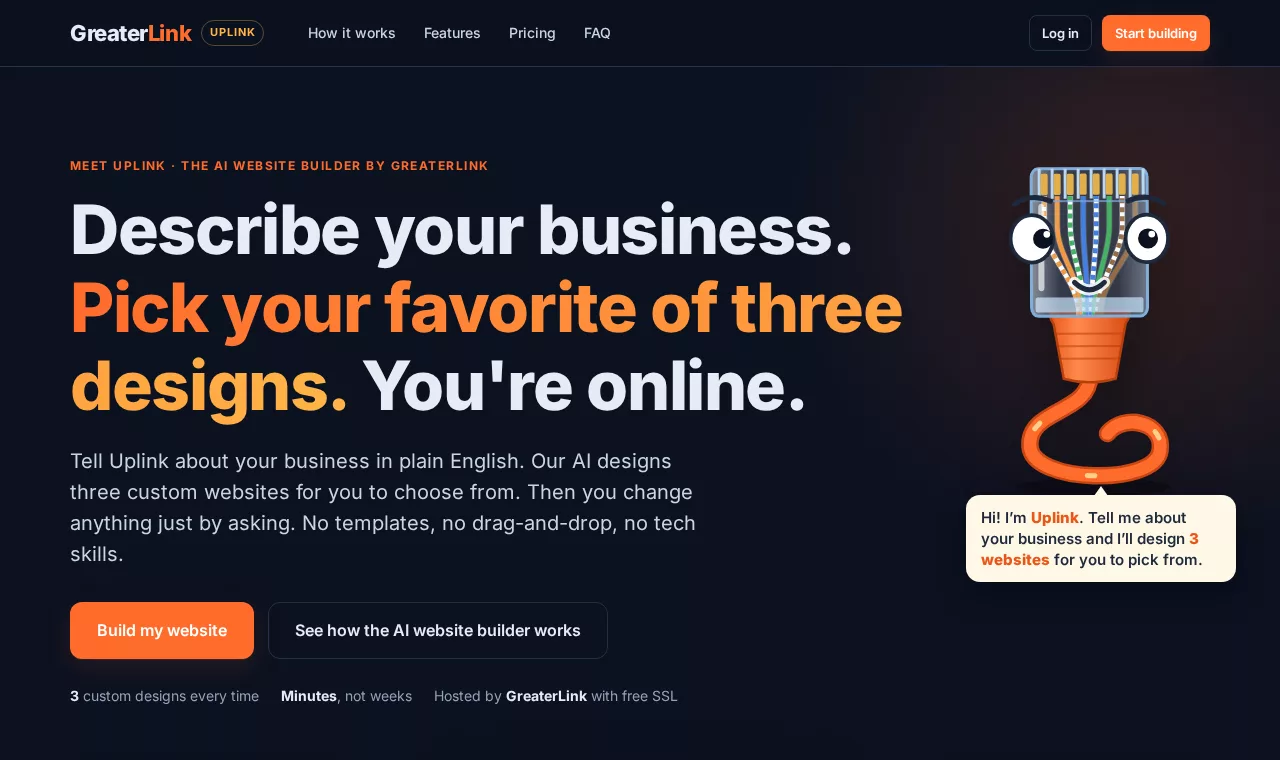
Uplink is the AI behind the Uplink AI Website Builder and the Uplink SEO Checkup. You talk to it in plain English, the same way you’d explain things to a web designer, and it does the design, the writing, the code and the search engine setup.
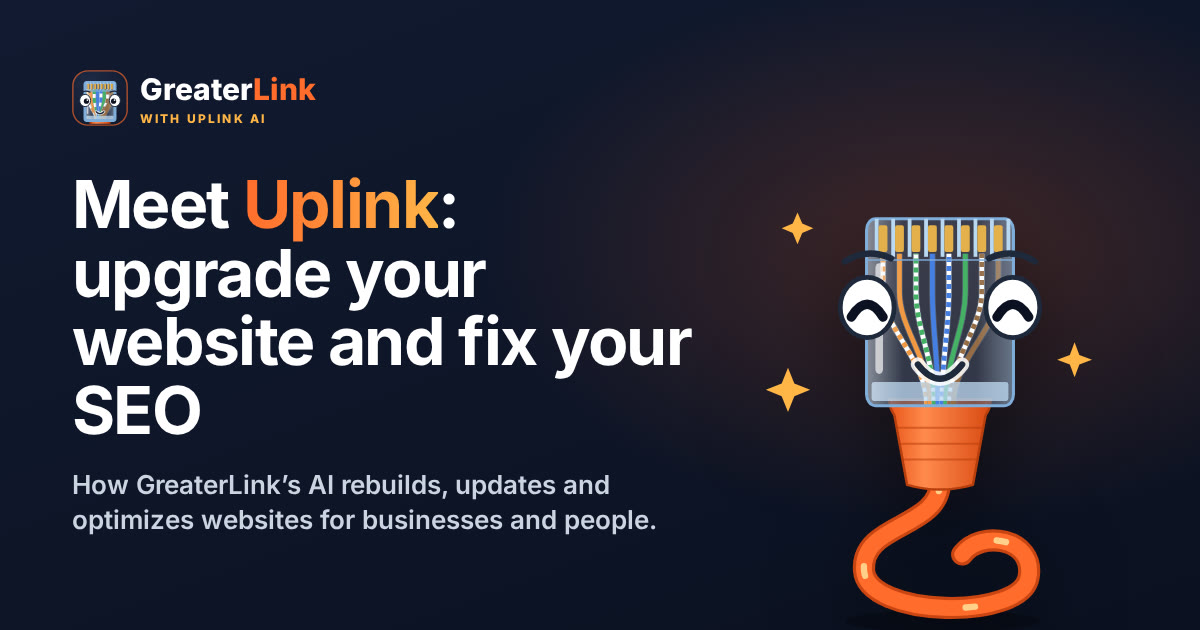
Why an Ethernet plug? In networking, an uplink is the connection that links you to something bigger. That’s the idea: Uplink connects your business to the customers searching for it. Look closely and you’ll even see the eight real network wire colors inside his clear plug.
You’ll find Uplink on our homepage asking visitors questions, inside the builder giving tips while he works, and in your GreaterLink account dashboard.
Signs your website needs an upgrade
If any of these sound familiar, your site is probably costing you customers:
- It looks dated. Visitors judge a business by its website in seconds. An old design quietly says “we might not be open anymore.”
- It’s hard to use on a phone. Most local searches happen on phones. Tiny text and buttons send people back to Google.
- It’s slow. Large photos and old code make pages crawl, and Google ranks slow pages lower.
- The information is wrong. Old hours, an old phone number or a service you no longer offer cost you calls.
- It doesn’t show up on Google. Missing page titles, no description, no sitemap and no business details for search engines all hold you back.
- Updating it is a chore. If changing one sentence means calling someone or logging in to a confusing editor, it never gets done.
Uplink is built to fix every one of those, without you learning anything new.
How Uplink upgrades your website
When you start, Uplink asks whether you already have a website. If you do, you choose one of two paths:
| Path | What Uplink does | Best when |
|---|---|---|
| Redesign it | Reads your current site for your business details, logo and photos, then designs three brand-new homepages for you to choose from. | Your site looks dated and you want a fresh, modern start. |
| Edit my current site | Copies your current site into the builder with the same look, words and photos (up to 7 pages, including maps and videos), so you can change it just by typing. | You like your design but want it faster, up to date and easy to change. |
No website yet? Just describe your business and Uplink starts from scratch. Here’s the full process:
- Tell Uplink about your business. Answer a few easy questions, or give it your current web address and let it fill in the details for you.
- Pick from three designs. In about two to four minutes you get three different homepages, side by side. Scroll through each and choose the one that feels like you.
- Let Uplink build the rest. It creates your other pages (About, Services, Contact and so on) in the style you picked, with working contact forms.
- Change anything by chatting. Type what you want: “Update our hours,” “Add a page for catering,” “Use the storefront photo in the banner.” Uplink makes the change and the preview updates.
- Publish. Go live on a free address, connect your own domain, or publish straight to your GreaterLink hosting in one click.
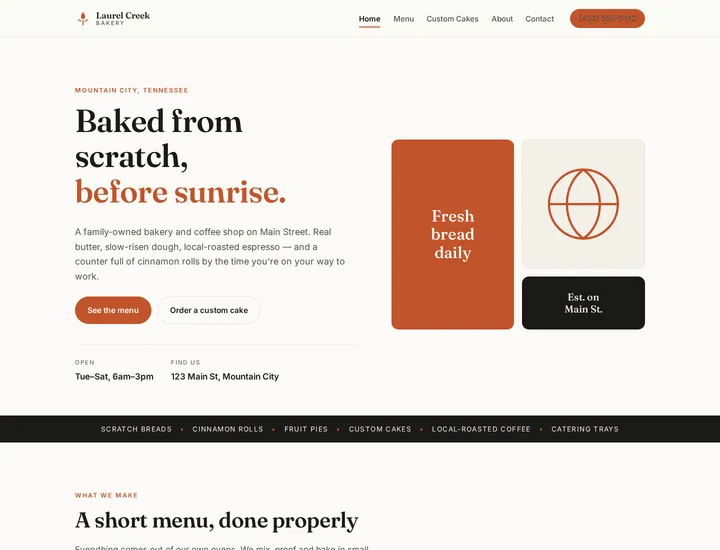
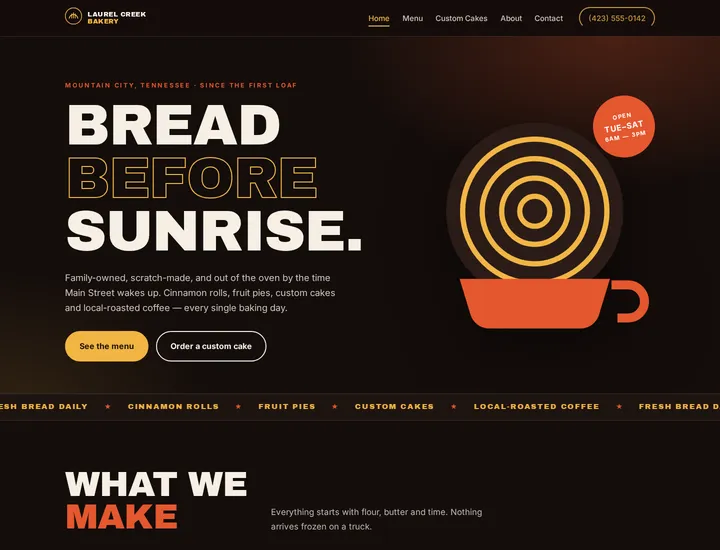
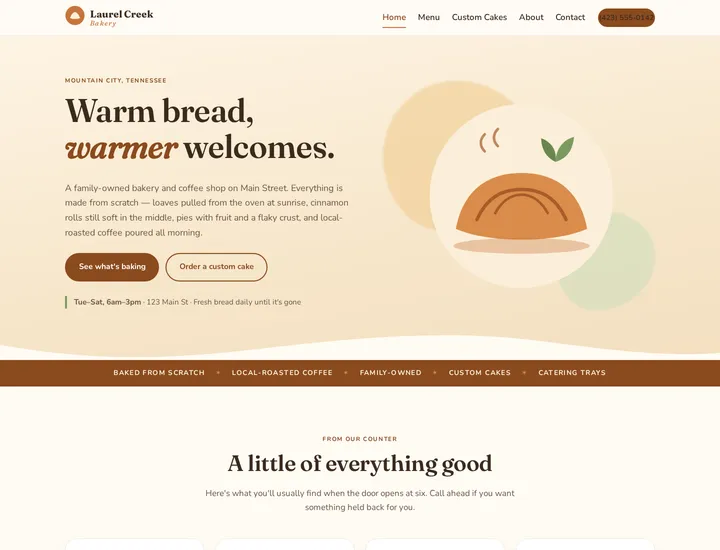
Here are three designs Uplink made for a sample bakery from one short description:
Who Uplink is for
- Small businesses such as shops, restaurants, contractors, salons and offices that need a professional site that brings in calls, without paying for a full custom build.
- Organizations such as churches, nonprofits, clubs and schools that need to keep events, schedules and contact details current without a volunteer web expert.
- People: artists, photographers, authors, consultants and job seekers who want a polished personal site or portfolio.
- Anyone with an older site that still works but looks its age, loads slowly or never shows up on Google.
The SEO Uplink handles automatically
SEO (search engine optimization) is the behind-the-scenes setup that helps Google, Bing and social media understand your website. Most people never touch it because it’s technical. Every time you publish, Uplink does it for you:
| What Uplink sets up | Why it matters |
|---|---|
| A title and description on every page | That’s the blue headline and the short summary people see in Google results. Pages without them look unfinished and get fewer clicks. |
| Your business details in Google’s format | Structured data (“LocalBusiness”) tells search engines your name, location, phone and hours from the details you gave Uplink. |
| A share image and preview text | When someone shares your site on Facebook or in a text, it shows a proper picture and title instead of a blank box. Uplink makes the image for you. |
| A sitemap and robots file | A map of your pages so search engines find all of them, plus instructions telling them what to read. |
| Canonical addresses | Tells Google which address is the “real” one for each page, so your pages don’t compete with themselves. |
| A browser-tab icon | Made from your logo, so your site looks finished in tabs, bookmarks and phone home screens. |
| Fast, phone-friendly pages | Every page is built for phones, and large photos are converted to the modern WebP format so they load quickly. Speed is a ranking factor. |
The words on your pages matter too. Ask Uplink to work your town and your services into your headlines and page titles (“Put ‘plumber in Mountain City, TN’ in the homepage title”) and it will do it in a natural way.
The free Uplink SEO Checkup
Want to know how your site is doing right now? The Uplink SEO Checkup checks your website the way search engines do and explains the results in plain English. It’s free for GreaterLink hosting customers.
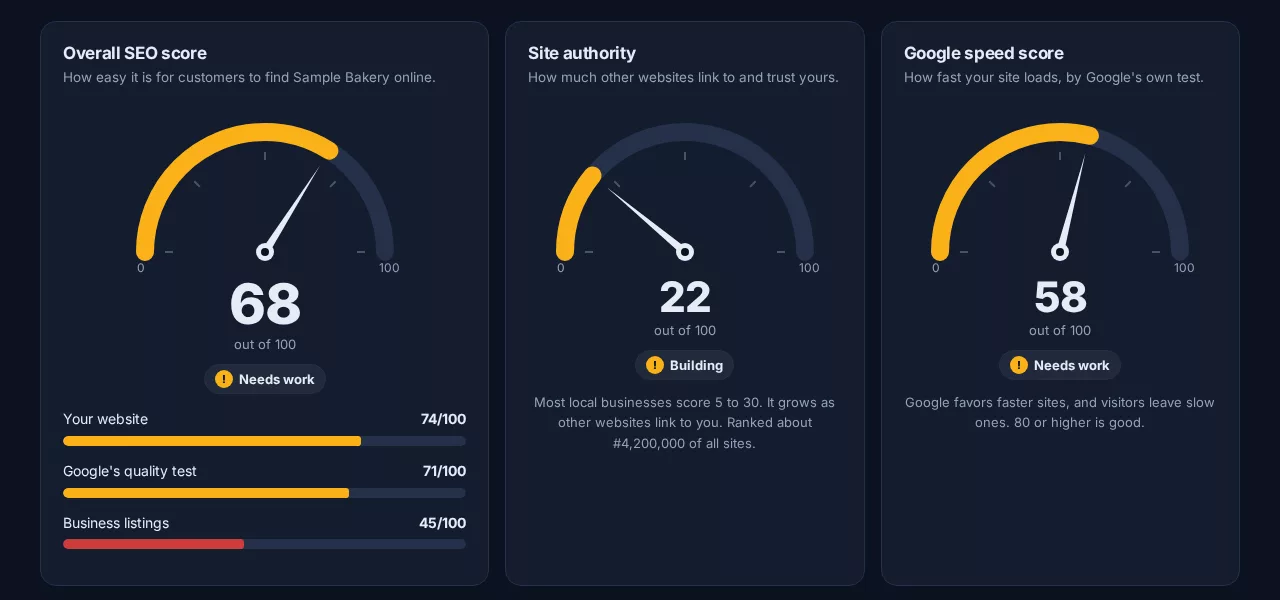
Here’s what it looks at:
- An overall score out of 100. It combines about 30 checks across your pages, Google’s own speed and quality test (Lighthouse), and your business listings.
- Site checks such as page titles, descriptions, headings, picture descriptions, broken links, a secure connection, your phone number and town on the homepage, a sitemap and business details in Google’s format.
- Speed and quality from Google Lighthouse, with the numbers explained.
- Business listings on Google, Bing, Apple Maps, Facebook and Yelp, so you know where customers can and can’t find you.
- Site authority: how many other websites link to yours, compared with millions of others.
- Competitors: run the same checkup on up to three competitors and see how you stack up.
- Keywords: track the searches you want to be found for and get new ideas based on what people actually type into Google.
- A link helper that finds websites worth asking for a link and drafts a friendly email for you to send.
Best of all, it ends with a to-do list, ordered by what will help most, with simple steps for each item:
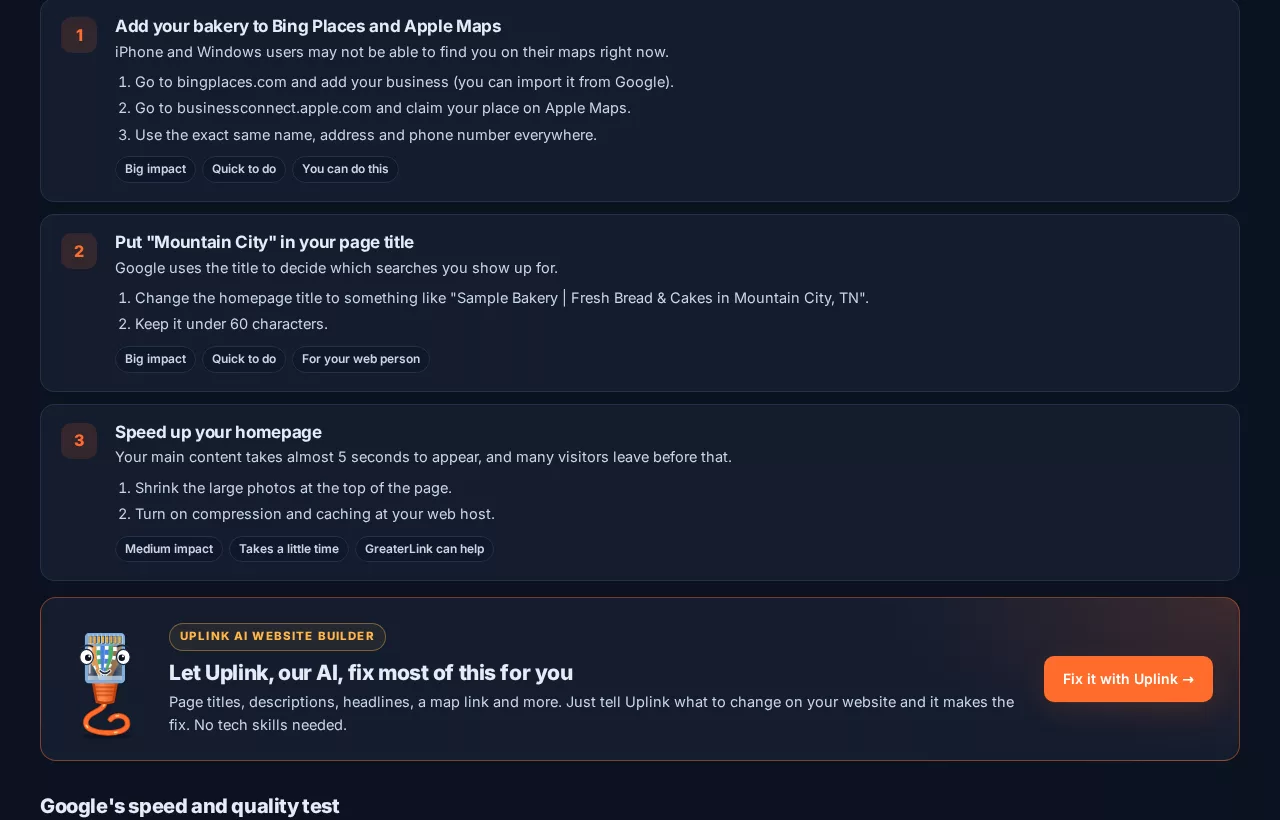
A simple SEO routine: check, fix, publish, recheck
You don’t need to become an SEO expert. Use this routine once a month:
- Run your checkup. Open the Uplink SEO Checkup from your GreaterLink account and run a fresh report.
- Hand the fixes to Uplink. Click “Fix it with Uplink” and type what the to-do list says, for example: “Add a description to every page,” “Put our town in the homepage title,” “Add a map and directions link to the contact page,” or “Describe every photo for search engines.”
- Publish. Uplink refreshes your search engine setup automatically every time you publish.
- Do the off-site items. Some steps happen outside your website, such as claiming your Google Business Profile or Bing Places listing. The checkup links you straight to them.
- Recheck and watch your progress. Run the checkup again. The progress chart shows your score climbing over time.
Uplink on the job
We gave Uplink a face because building a website should feel friendly, not technical. Inside the builder you’ll see him work through every step:
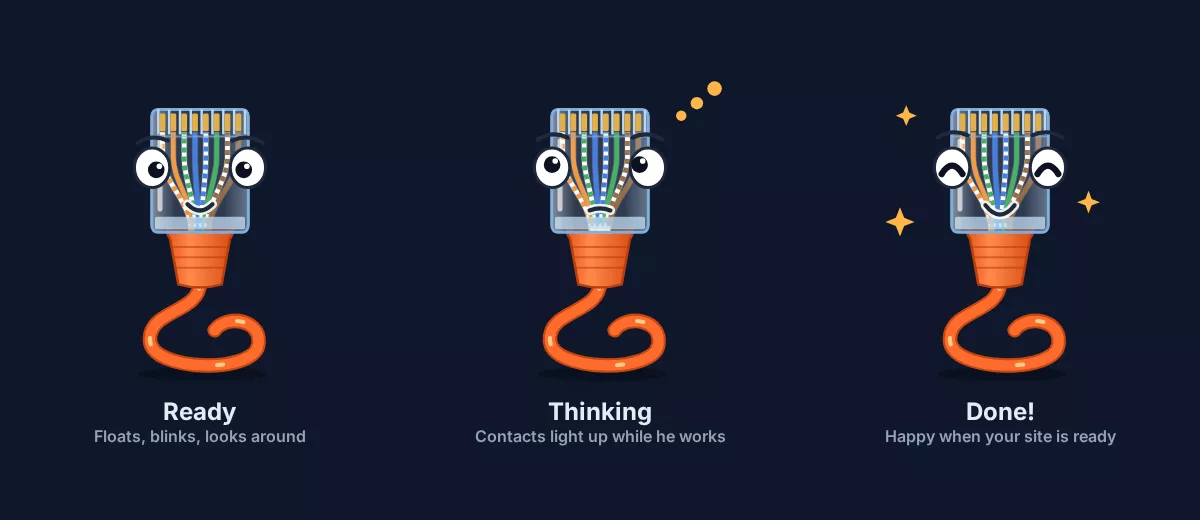
- Thinking: while he designs or edits, his gold contacts light up one by one and data runs up his wires.
- Happy: when your designs are ready or a change is done, he celebrates.
- Helpful: along the way he gives you tips, like which page to name in a request, how to undo a change, or how to preview your site on a phone.
He also greets visitors on our homepage with questions:
Safe to try: nothing is lost
- Every change is saved. Uplink keeps a copy before every edit. Open History and restore any earlier version for free.
- Your old site is backed up. When you publish to your GreaterLink hosting, any files Uplink replaces are backed up first, and “Restore my old site” puts everything back.
- Preview before you publish. Changes stay private until you click Publish.
- Real people are here. Stuck? Call us 24/7 at (800) 245-6301.
What it costs
Each Uplink plan is web hosting with the AI website builder built in, billed monthly. Credits pay for Uplink’s work: a small edit usually takes 5 to 10 credits, and a whole new website about 230.
| Plan | Price | AI credits every month | Websites |
|---|---|---|---|
| Uplink Starter | $29.95/mo | 600 | 1 |
| Uplink Pro | $59.99/mo | 1,800 | Up to 5 |
| Uplink Ultimate | $109.99/mo | 4,500 | Up to 25 |
Already host with GreaterLink? Your three homepage designs are free, and upgrading keeps your same account and domain. See every option on our pricing page, or read our earlier post, Meet Uplink, the GreaterLink AI Website Builder.
Frequently asked questions
Can Uplink upgrade a website that isn’t hosted with GreaterLink?
Yes. Give Uplink the address of any public website and it can copy it or use it as the starting point for a redesign. When you’re ready, publish it on a free address, connect your own domain, or move your hosting to GreaterLink.
Will I lose my current website?
No. Your current site stays exactly as it is until you publish. When you publish to GreaterLink hosting, the files Uplink replaces are backed up and you can restore your old site with one click.
Do I need to know anything about SEO?
No. Uplink sets up page titles, descriptions, share images, a sitemap and your business details for search engines every time you publish. The free SEO Checkup tells you what else to do in plain English, and Uplink can make most of the fixes for you.
Can Uplink guarantee I’ll rank first on Google?
No one honestly can. Uplink fixes the things that hold websites back and keeps your site fast and up to date, which gives you the best chance to be found.
Can I still edit my website myself?
Yes. Most people just type what they want changed, but you can also upload your own photos and logo at any time. If you’d rather we do it, our team can help too.
Is the SEO Checkup really free?
Yes, for GreaterLink hosting customers. Open it from your GreaterLink account and run up to four checkups a day for each business.
Who is GreaterLink?
GreaterLink is a web hosting and website design company in Mountain City, Tennessee. Real people are available 24/7 at (800) 245-6301.
Ready to upgrade your website? Start with Uplink, or if you already host with us, log in to your GreaterLink account and click Open Uplink.
Need a hand with your website or hosting?
Talk to a real person at GreaterLink, any time, day or night.
More from the blog
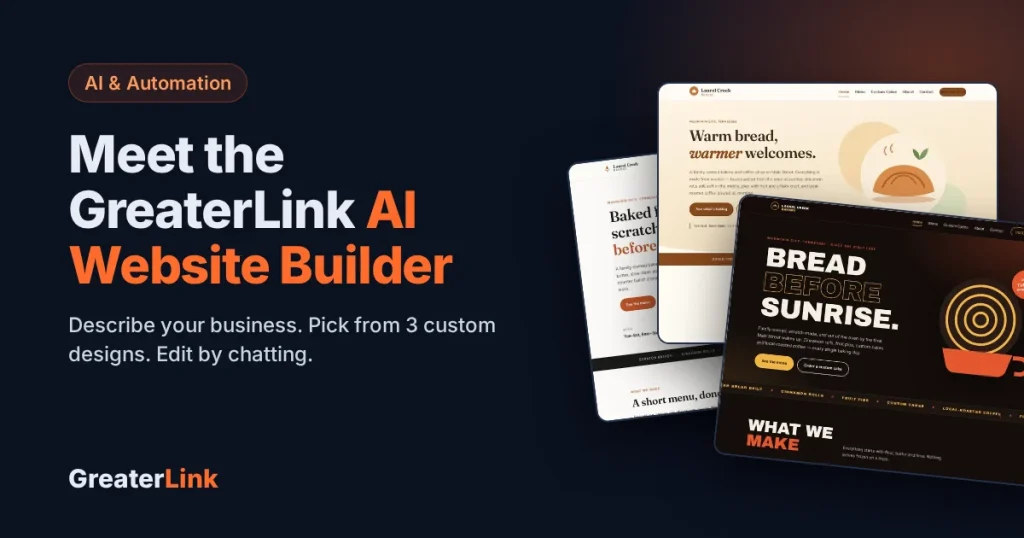
Meet Uplink, the GreaterLink AI Website Builder: 3 Custom Designs in Minutes
Meet Uplink, our new AI Website Builder. It designs three custom homepages from a description of your business. Edit by chatting, keep or redesign your current site, and publish in one click.
Do I Need a Website If I Have a Facebook Page?
Facebook is a great start for a small business, but it isn’t a website. Here’s what each one does well, where Facebook falls short, and how to use both together.
Best Website Builder for Beginners: How to Choose (2026 Guide)
How to choose the best website builder for beginners: what to look for, what free plans really include, website builder vs. WordPress, and costs to watch.