Is Fast Hosting for Image Portfolios Worth It?
Fast hosting for image portfolios decides whether visitors stay or bounce. Compare platforms, image optimization, and CDN options to pick the right setup.

Last Updated: October 28, 2026
Quick Summary
Fast hosting for image portfolios is worth it because the server decides how quickly your gallery images reach a client, and delivery matters more than storage. Choose a plan with SSD or NVMe storage, enough bandwidth and memory for concurrent image requests, plus server-level caching and a CDN.
- Storage is cheap but delivery is not, so size your plan for the gallery rather than the raw archive.
- Export full-width gallery images at 2,000 pixels on the long edge and target roughly 200-400KB per web image.
- A 40-image gallery should land near 10-15MB total, not 200MB.
- A CDN shortens the distance to visitors but does not shrink an oversized image payload.
- Before committing, confirm you can export your site, download a full backup, and restore it yourself.
Table of Contents
- Why Fast Hosting for Image Portfolios Decides Whether Visitors Stay
- The Best Web Hosting for Photographers: What Actually Moves the Needle
- Online Photography Portfolio Platforms vs. Self-Hosted Setups
- How to Optimize Images for a Website Without Losing Quality
- Why a CDN for Photography Websites Changes Load Times
- The Full Cost of Ownership: Beyond the Monthly Hosting Fee
- Ownership, Portability, and Backups: What to Check Before You Commit
- Choosing Your Fast Hosting Setup with GreaterLink
- Frequently Asked Questions
Why Fast Hosting for Image Portfolios Decides Whether Visitors Stay
A portfolio site has one job: get the work in front of a client before their patience runs out. Fast hosting for image portfolios is the infrastructure layer that decides whether that happens, and it is the layer most photographers treat as an afterthought.
Here is the uncomfortable part. Most hosting advice for photographers compares plan features, not delivery. A host can advertise unlimited storage and still serve a 6MB hero image over four seconds. Below, we break down what actually determines speed, where the biggest platforms fit, and how to choose without overpaying.
The Best Web Hosting for Photographers: What Actually Moves the Needle
The best web hosting for photographers is not the plan with the most storage. It is the plan with the fastest disk, enough server resources to handle concurrent image requests, and a network that puts files close to your visitors. Storage is cheap; delivery is not.
Three things to consider when choosing a host:
- SSD or NVMe storage, which cuts the time it takes the server to find and return each image file
- Sufficient bandwidth and server memory so a gallery page with 40 images does not queue requests
- Server-level caching and a CDN, so repeat visitors and distant visitors do not hit your origin server at all
A common mistake is buying on storage alone. A photographer with 200GB of raw files needs storage, but visitors never download raw files. They download compressed web versions. Size your plan for the gallery, not the archive.
Server Type, Storage, and Bandwidth: The Specs That Matter
When choosing hosting, consider the plan’s storage, bandwidth allowance, and upgrade options.
Google’s guidance on Core Web Vitals frames speed as a user-experience metric, and Largest Contentful Paint, usually your hero image, is the metric image portfolios lose on. That is a hosting and image-weight problem before it is a design problem.
Where GreaterLink, Format, and SiteGround Fit
Three different tools solve three different problems, and confusing them is where photographers waste money.
| Option | What It Is | Best For | Watch Out For |
|---|---|---|---|
| GreaterLink | cPanel hosting with LiteSpeed servers, free SSL, daily backups | Photographers who want hosting plus design help | You manage the site yourself unless you add design services |
| Format | Portfolio platform with tiered plans | Beginners who want a ready-made portfolio | Limited control over delivery and performance tuning |
| SiteGround | Hosting with built-in caching and CDN | WordPress users who want caching handled | Plan limits can bind as galleries grow |
GreaterLink provides cPanel-based hosting, automated daily backups and malware scans, and 24/7 support from a USA-based team. If you want to learn more, review the dedicated business hosting plans.
Online Photography Portfolio Platforms vs. Self-Hosted Setups
Online photography portfolio platforms trade control for convenience. Self-hosted setups trade convenience for control and ownership. Neither is wrong; the decision comes down to whether your portfolio is a brochure or a business asset.
Platforms can suit people who want to publish without managing servers. Self-hosted WordPress or a static site on cPanel hosting can offer control over image compression, caching rules, CDN configuration, and client-gallery protection.
Moving off a platform later may involve rebuilding pages, redirecting URLs, and re-uploading images. If you may want custom client proofing or e-commerce down the road, consider whether a self-hosted setup suits your needs.
How to Optimize Images for a Website Without Losing Quality
Optimizing images for a website means exporting at the dimensions you actually display, compressing to a sensible quality level, and serving modern formats, not uploading the file straight from the camera. This single step often does more for load time than any hosting upgrade.
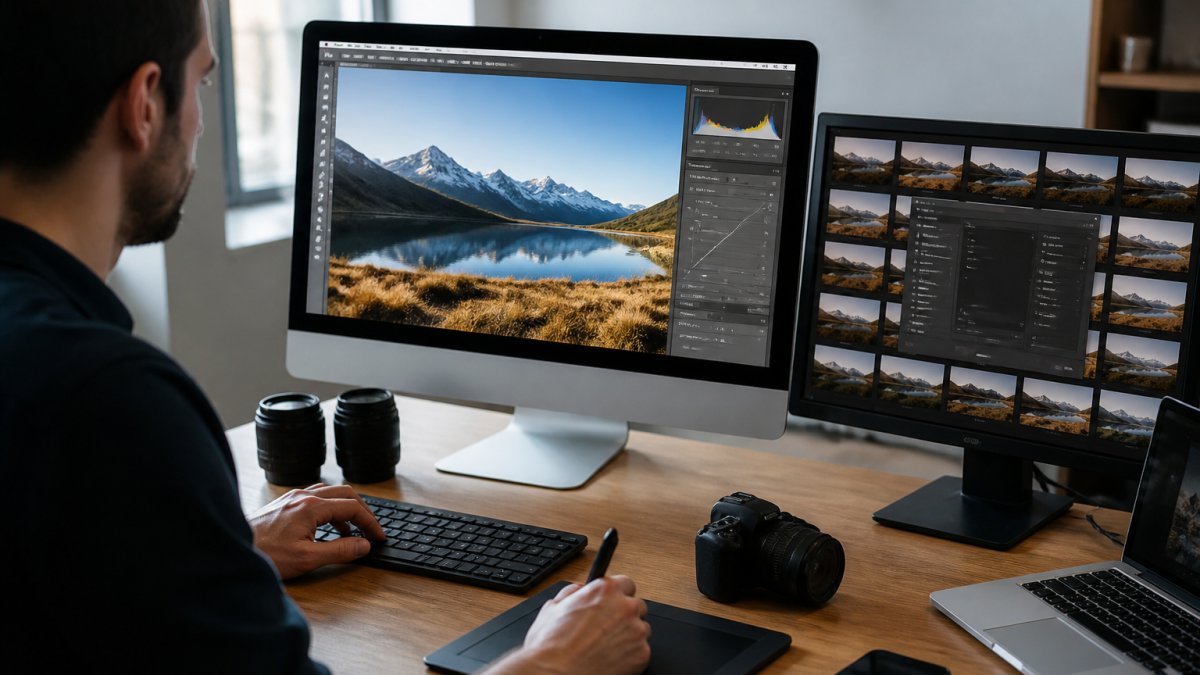
A workflow that works:
- Export at 2,000 pixels on the long edge for full-width gallery images; smaller for thumbnails
- Save as WebP or AVIF where your host and theme support it, with a JPEG fallback
- Target roughly 200-400KB per web image; a 40-image gallery should land near 10-15MB total, not 200MB
- Strip metadata you do not need, but keep copyright fields
- Lazy-load everything below the fold
Why a CDN for Photography Websites Changes Load Times
A CDN for photography websites copies your images to servers around the country so visitors download from a nearby location instead of your origin server. But the mechanism matters more than the marketing claim, and most roundups stop at “a CDN makes your site faster.” True optimization requires understanding how these delivery networks interact with the physical presentation of professional photography portfolios, much like the tactile considerations necessary for Handcrafted Italian Photography Albums.
Here is what a CDN actually does for an image portfolio:
- Edge caching. The first visitor in a region pulls the image from your origin; subsequent visitors in that region get a cached copy from an edge server. Repeat views get faster, not just first views.
- Shorter network paths. A visitor in another region no longer waits for packets to cross the country to your origin and back. Fewer round trips means a faster Largest Contentful Paint, which is usually your hero image.
- Origin offload. Cached image requests never hit your server, so a gallery page with 40 images does not queue requests against your plan’s memory and bandwidth.
- Format negotiation. Many CDNs can serve WebP or AVIF automatically to browsers that support them, with a JPEG fallback, so you do not have to maintain multiple exports by hand.
Cloudflare’s explanation of how a CDN works covers the mechanics: cached copies at edge locations, shorter network paths, less load on your host. Many hosts bundle a CDN.
The caveat: a CDN does not fix oversized images. Cache a 12MB file and you have cached a 12MB problem. A CDN shortens the distance; it does not shrink the payload. That is why the image-optimization workflow above matters more than any single hosting upgrade.
Do not assume a bundled CDN is configured for images. Check whether it caches image file types, whether it honors your cache headers, and whether it serves modern formats. A CDN that only caches HTML and CSS will not move the needle on a gallery page.
A practical test: load your gallery on a phone over cellular data from a location far from your server region, then compare it to a load from a nearby location. If the far-region load is dramatically slower, a CDN is the missing layer. If both are slow, your images are too heavy and no CDN will save you.
The Full Cost of Ownership: Beyond the Monthly Hosting Fee
The monthly hosting fee is the smallest line in most photographers’ website budget. Domain registration, SSL, email hosting, design, and your own time add up fast, and renewal pricing is where budgets quietly break.
A realistic ownership checklist:
- Hosting plan, including renewal price after any introductory term
- Domain registration and renewal
- SSL certificate, which should be included, not billed separately
- Professional email addresses
- Design or template costs
- Backup and restore capability
- Your time, or support response time when something breaks
GreaterLink includes free SSL and a web application firewall with shared plans, plus professional email addresses. For a broader budget view, our guide to what a small business website really costs breaks down design, domain, and hosting together. If your portfolio outgrows the plan, upgrading your hosting plan is a straightforward move rather than a rebuild.
Ownership, Portability, and Backups: What to Check Before You Commit
Ownership is the question almost no comparison table answers. Before you commit to any host or platform, confirm three things: can you export your site, can you download a full backup, and can you restore it without waiting on a support ticket?
GreaterLink runs automated daily backups and malware scans. You can also restore your website from a backup if you ever need to recover or move your site.
On a closed portfolio platform, ask directly: what format is the export, and does it include gallery structure or just flat images? The answer tells you how locked in you are.
Choosing Your Fast Hosting Setup with GreaterLink
Choosing fast hosting for image portfolios comes down to three checks: does the server return images quickly, does the plan leave room to grow, and can you leave with your files intact if you want to. Get those right and the rest is detail.
A challenge worth naming: most photographers do not discover their host is slow until a client mentions it. Test your gallery on a phone over cellular data before your next inquiry arrives.
Our cPanel hosting includes free SSL, automated daily backups and malware scans, professional email, and 24/7 support from a USA-based team. Professional website design services are also available. Get started with GreaterLink.
Frequently Asked Questions
What is the best hosting for a photography portfolio?
It depends on how much control you want. Portfolio platforms and self-hosted options offer different approaches. GreaterLink provides cPanel-based hosting, automated daily backups, and 24/7 support. Match your hosting choice to your gallery size and expected traffic.
How do I make an image portfolio website load faster?
Start with image compression: export JPEGs at 70-80% quality and keep web versions under 400 KB each. Serve images in WebP where supported, and set explicit width and height attributes so the layout does not shift. Add a CDN for photography websites so files load from a server near each visitor. Enable caching at the host level and lazy-load gallery images below the fold.
Do photographers need web hosting or a portfolio platform?
A portfolio platform may bundle design, hosting, and image delivery. Web hosting can provide a foundation for a website. GreaterLink offers domain registration, hosting, and professional website design services.
Should I use a CDN for a photography portfolio?
A CDN stores copies of images on servers closer to visitors. Its effect on load times depends on the site and setup. Test load times before and after to assess the result.

Need a hand with your website or hosting?
Talk to a real person at GreaterLink, any time, day or night.
More from the blog

HostGator vs Namecheap Hosting Review: An Honest Comparison
This hosting review compares HostGator vs Namecheap on price, uptime, WordPress, and support. Find out which host fits your site and what real users say.

How to Plan Professional Web Design for Startups
Professional web design for startups means matching budget, timeline, and goals to the right build path. Compare costs and launch with a proven checklist.

7 Secure Hosting for Small Business Options to Trust
Find secure hosting for small business with SSL, daily backups, and firewalls. Compare 7 providers, pricing, and security features to pick the right host.